
How do I activate the Google Pay™ service?
Google Pay is a contactless payment service using your Android mobile phone or smartwatch. In just three easy steps, activate Google Pay today and pay quickly and securely.
Why are Google Pay™ payments secure?
Mobile payments via Google Pay are protected by multiple security mechanisms – you can rest assured that the payments you make with your mobile phone are truly safe!
- Even if you repeatedly touch your device to the POS terminal, the transaction will only be charged once.
- All transactions are carried out with prior confirmation, i.e. unlocking the phone with data that only you know.
- When you pay with your Android phone, Google Pay doesn't share information like your card number, making your payment even more secure.
- If you lose your phone, you can remotely lock it or wipe it using the Find My Device option.
Google Play, Google Pay and Google Wallet are trademarks of Google LLC.
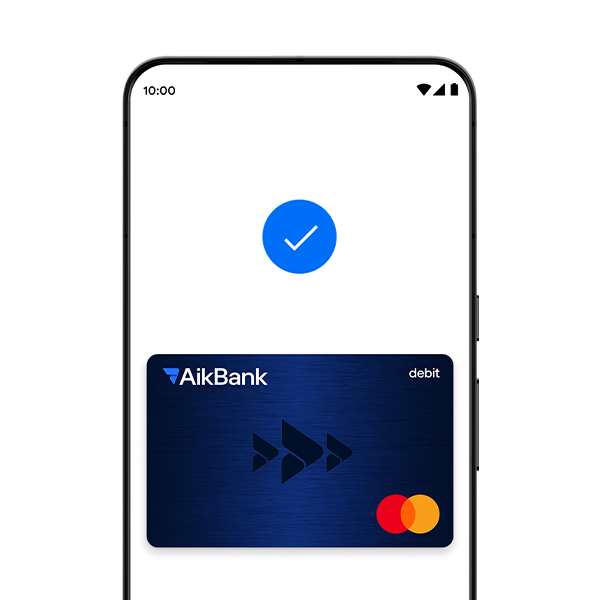
How is payment made?
Google Pay payments at merchants are quick and easy, in just a few steps:
1
Unlock your device.
At the checkout, when you're ready to pay, unlock your phone and activate Google Wallet
2
Select a card
In the Google Wallet app, select the card you want to pay with.
3
Hold the device against the POS terminal
Bring the device closer to the POS terminal, just like when paying contactless with a card
4
Payment completed
A sign will appear on the screen indicating that the transaction has been successfully completed, and at the same time you will hear a sound signal indicating a successful payment.
Frequently asked questions
Can I add the same card to Google Wallet™ on multiple Android devices?
Yes. You can use your AikBank Mastercard® card on multiple devices.
Is there a fee to use Google Pay?
There is no fee for using the Google Pay service.
How do I deactivate the card I use to pay with Google Pay?
In the Google Wallet™ application, select the card you want to deactivate, and then select the 'Remove this card' option. In case of loss/stolen device, call the Bank's Contact Center.
Can I use Google Pay to pay in installments?
If you have a pre-arranged installment payment service with your bank, transactions made via Google Pay will be treated the same, except for installment payments without fees in the partner merchant network, which cannot be made via Google Pay. Payments in installments without fees in the partner merchant network can only be made using a physical card and selecting the installment number at the POS terminal.

How to stay safe in the online environment?
In the digital world, protecting your personal information is crucial. Scams via fake messages, phishing sites, and suspicious links often seem convincing, but they can seriously compromise your security.
It is important that you know the basic rules of protection in the online environment - from recognizing scams and careful password management, to the responsible use of technologies.
Visit the Internet Safety page and learn how to spot risky situations in time and how to protect yourself at all times.